
LibreOffice for MAC
Free, open-source office suite with a word processor, spreadsheets, presentations and more.
LibreOffice Overview
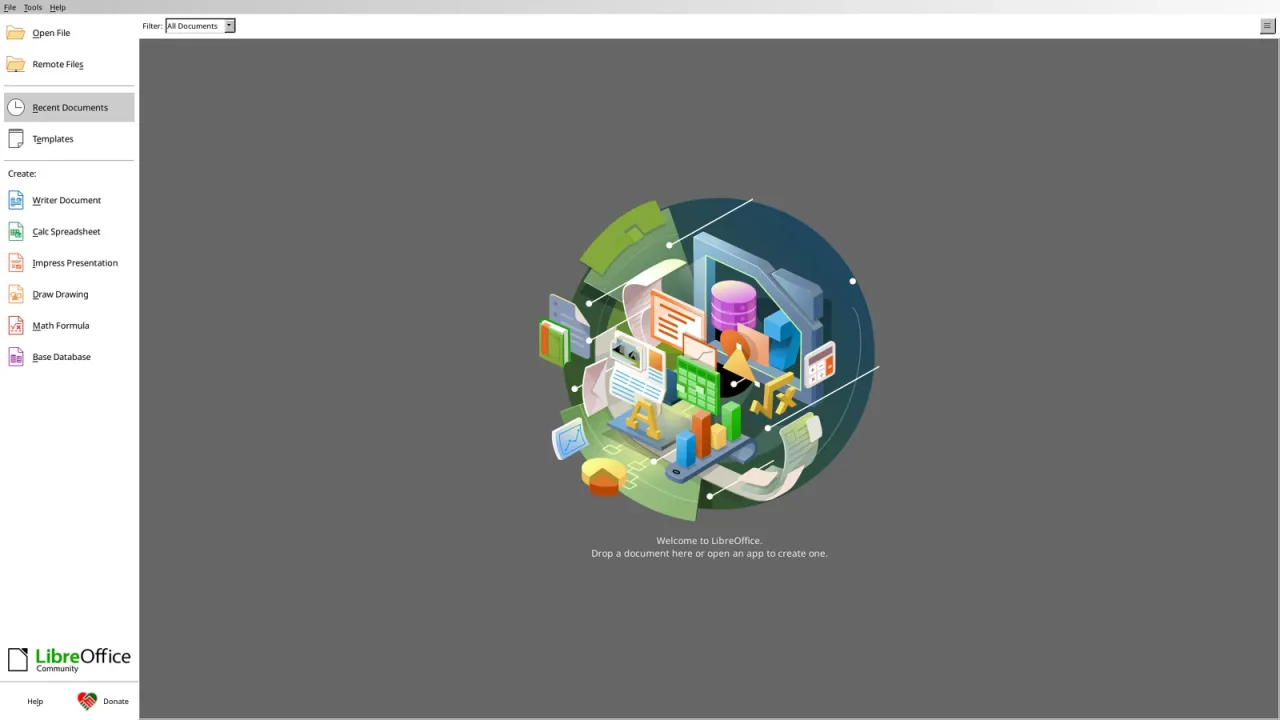
LibreOffice is a free, open-source office suite for Mac, Windows and Linux. It includes Writer for documents, Calc for spreadsheets, Impress for presentations, Draw for diagrams, Base for databases and Math for formulas, and it opens and saves Microsoft Office files such as .docx, .xlsx and .pptx. LibreOffice is made by The Document Foundation and a large community of volunteers and companies, and released under the Mozilla Public License 2.0, with no subscription, no account and no ads.
Its own format is the OpenDocument Format (ODF), an open international standard. On the Mac there are separate downloads for Apple Silicon and Intel Macs, and LibreOffice needs macOS 11 (Big Sur) or later.
Key Features
LibreOffice covers everyday office work and advanced documents without paying for a license.
- Writer: letters, reports, books and forms, with styles, tables of contents, mail merge and track changes.
- Calc: spreadsheets with formulas, pivot tables, charts, conditional formatting and data tools.
- Impress: presentations with slide layouts, animations, transitions and presenter view.
- Draw: diagrams, flowcharts and simple page layouts, and editing of PDF files.
- Base and Math: desktop databases and mathematical formulas.
- Microsoft Office files: opens and saves Word, Excel and PowerPoint documents.
- PDF export: export to PDF, including hybrid PDFs that LibreOffice can edit again.
- Templates and extensions: start from templates and add features with extensions.
- Many languages: the interface, spell checking and writing systems for languages around the world, including right-to-left scripts.
What’s New in Version 26.8.1
LibreOffice 26.8.1 is the first bug-fix update of LibreOffice 26.8, which brought:
- Automatic paragraph direction for right-to-left text in Writer and Calc
- A Paragraph Composer in Writer that balances word spacing across lines
- Native support for variable OpenType fonts
- Calculated fields in pivot tables and a Shuffle command in Calc
- Presentation sections for grouping slides in Impress
- Better Microsoft Office compatibility; 26.8.1 adds about 40 fixes, including for DOCX, XLSX and PPTX files
- Safe Mode is now called Troubleshoot Mode
LibreOffice FAQ
Is LibreOffice free for Mac?
Yes. LibreOffice is free and open source, released under the Mozilla Public License 2.0, for personal and business use. There is no subscription and no account.
Can LibreOffice open Word, Excel and PowerPoint files?
Yes. LibreOffice opens and saves .docx, .xlsx and .pptx files, as well as older .doc, .xls and .ppt files. Very complex documents may look slightly different.
Does LibreOffice run on Apple Silicon Macs?
Yes. LibreOffice has separate Mac downloads for Apple Silicon and for Intel Macs, so it runs natively on both.
Which macOS version does LibreOffice need?
LibreOffice needs macOS 11 (Big Sur) or later on an Apple Silicon or Intel Mac.
Which LibreOffice version should I download?
LibreOffice 26.8 is the latest branch, with the newest features. The previous branch, 26.2, is the more mature version recommended for businesses, and it is supported until 30 November 2026.
How do I change LibreOffice to my language?
Download the language pack for your language from the LibreOffice download page, install it, then choose your language in LibreOffice's settings under Language Settings.
Can LibreOffice export to PDF?
Yes. Choose File, then Export As, then Export as PDF. You can also create hybrid PDFs that LibreOffice can open and edit again.
Is LibreOffice safe to install on a Mac?
Yes, when you download it from the official website, libreoffice.org, which is where the download button on this page leads. LibreOffice is open source and published by The Document Foundation.
How do I update LibreOffice on my Mac?
Download the latest version from libreoffice.org and replace the old copy in your Applications folder. Your settings and documents are kept.
Where does the LibreOffice download on libreoffice.FULLMAC.app come from?
The download button leads to LibreOffice's official download page at https://www.libreoffice.org/download/download-libreoffice/. libreoffice.FULLMAC.app does not change or repackage the installer.
Similar Apps

FULLMAC.app does not host this app. Download buttons lead to the developer’s own pages.